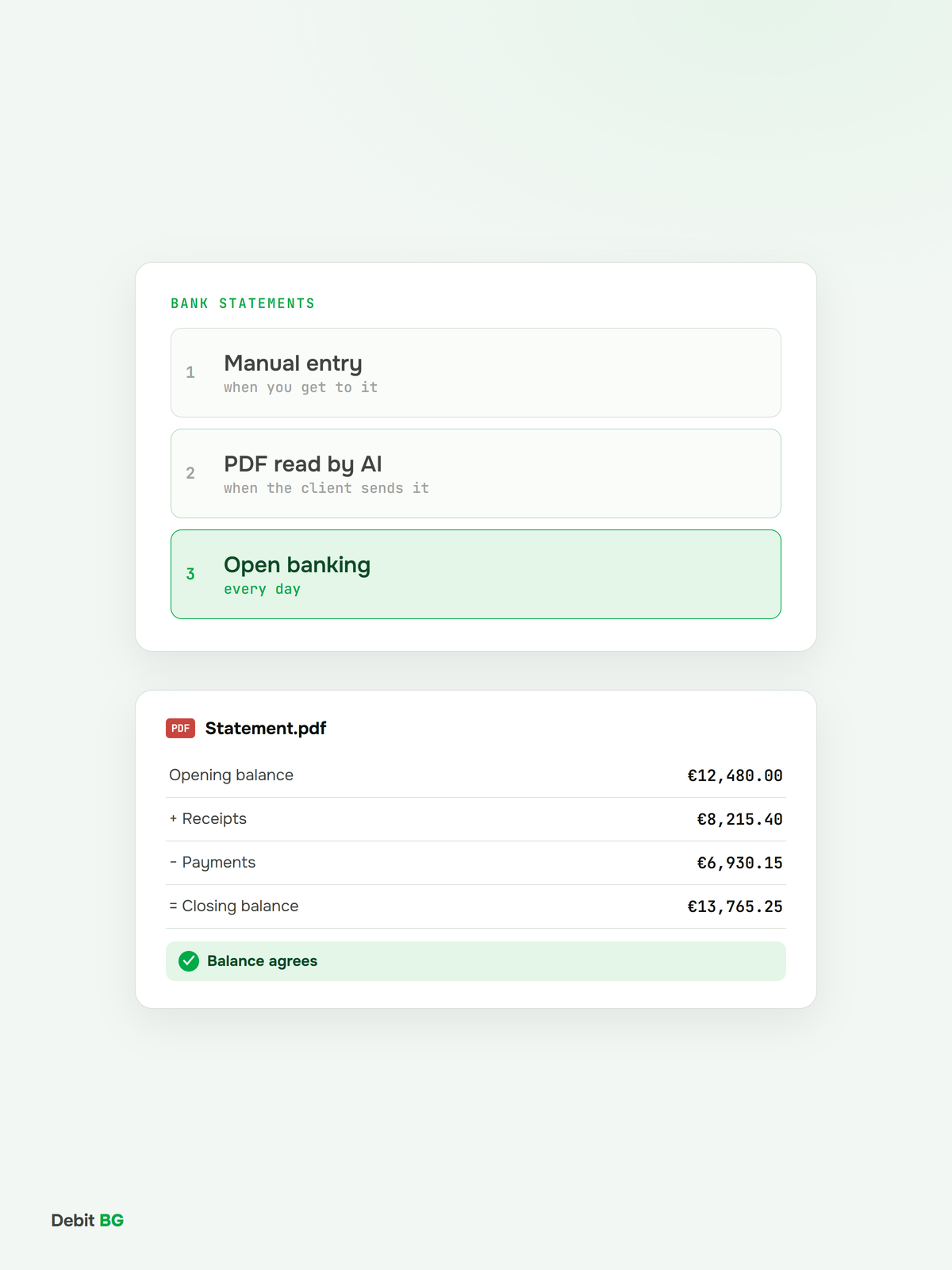
Bank statements are the part of bookkeeping that most often holds up the month-end close. Every payment has to be matched to an invoice, the bank balance has to agree to the cent, and from 2026 payments also go into the monthly SAF-T file of the first Bulgarian companies in scope. There are three ways a client's bank transactions can reach accounting software: manual entry, a PDF statement read by artificial intelligence, and open banking. This article compares the three and shows when each one fits.
Current as of 14 November 2026.
Short answer
The fastest and most complete way is open banking: after a one-time consent from the client, transactions arrive automatically every day, with no files to download or upload. A PDF statement read by AI is the best fallback: for history when taking on a new client, for closed accounts, for foreign banks and for any account that is not connected yet. Manual entry works with anything, but costs the most time.
Why the bank is the hardest part of the month
- It depends on the client. Someone who rarely has time has to download the statement and send it. The firm waits and chases.
- Every payment needs a match. A receipt without an invoice, or an invoice without a payment, is an open item someone has to investigate.
- The balance is unforgiving. One missing day or one missing account and the bank account in the books no longer agrees with the bank.
- The data also goes to the tax authority. The monthly SAF-T file contains payments alongside invoices and journal entries. More in SAF-T and e-invoicing in Bulgaria by 2028.
Method 1: Manual entry
The accountant reads the statement and types in every transaction: date, amount, counterparty, payment reference.
- Pros: works with any bank and any format, including paper.
- Cons: the slowest method, with a risk of error at every copy. At 300 transactions a month that is hours of work that needs no expertise.
Method 2: A PDF statement read by AI
PDF is the format every client has: they download it from online banking, receive it by email, and for older periods it is often all that is left. Traditional OCR struggles with bank statements, because tables run across several pages, rows wrap, and every bank has a different layout. AI OCR reads the statement by meaning and extracts the date, amount, direction, counterparty, IBAN and payment reference of every transaction.
The rule that makes PDF reliable: opening balance + receipts − payments = closing balance. Good software runs this check automatically on every statement. If it adds up, no row was missed or read twice.
- Pros: works with any bank, in Bulgaria or abroad, including past periods and closed accounts.
- Cons: the client still has to send the document, so data arrives as often as they send it.
Method 3: Open banking
Open banking is regulated access to a client's bank data through the bank's interface (API). In the EU it was introduced by Directive (EU) 2015/2366, known as PSD2. The service behind automatic bank feeds is called an account information service (AIS): access is read-only, so the software sees balances and transactions but cannot make payments.
How it works in practice:
- Consent. The client picks their bank and confirms access in their own bank's familiar environment.
- Strong authentication. They confirm with the bank's app or a code. The password stays with the bank and is never shared.
- Automatic feed. Transactions arrive in the accounting software every day.
- Renewal. Since 25 July 2023 consent is reconfirmed every 180 days (Delegated Regulation (EU) 2022/2360; it used to be every 90 days). The client can withdraw it at any time.
Providers of these services must be licensed and listed in a public register: in Bulgaria the register of the Bulgarian National Bank, and for the whole EU the register of the European Banking Authority (EBA).
- Pros: complete, daily data straight from the bank; no waiting, downloading or uploading; no shared passwords.
- Cons: works only for banks and accounts the provider covers; the client has to reconfirm access every 180 days.
Comparing the three methods
- Data freshness. Manual: when the accountant gets to it. PDF: when the client sends it. Open banking: every day.
- Work for the client. Manual and PDF: download and send the statement every month. Open banking: one confirmation every 180 days.
- Work for the firm. Manual: the most. PDF: reviewing exceptions. Open banking: reviewing exceptions.
- Accuracy. Manual: depends on the person. PDF with AI and a balance check: high. Open banking: high.
- Coverage. Manual and PDF: any bank, any period. Open banking: connected banks, from the moment of connection.
- History. Manual and PDF: yes, for any period. Open banking: limited to the history the bank provides through its API.
Which combination to choose
For most firms the two automatic methods work best together:
- Open banking for all of the client's active current accounts. This covers the daily flow.
- PDF statements for everything else: history when taking on a new client, closed accounts, foreign banks and accounts not connected yet.
- A duplicate check when the same period has data from two sources.
Checklist for complete bank data
- Is there data for every day of the period, with no gaps?
- Does the closing balance in the software match the bank?
- Are all of the client's accounts included, including foreign currency accounts?
- Are there no duplicate transactions from two sources?
- Is every payment matched to an invoice or another document?
- Do you know when each client's open banking consent expires?
What is coming
The EU is preparing a successor to PSD2: the PSD3 directive and the Payment Services Regulation (PSR). The European Parliament and the Council reached a provisional political agreement on 27 November 2025. The package bans banks from putting obstacles in the way of data access, but it still has to be formally adopted. In Bulgaria, the bill for mandatory e-invoicing from 2028 adds the supplier's bank account as a mandatory invoice field, which will make it easier to match payments to invoices automatically.
How Debit BG helps
Debit BG is a complete accounting solution for accounting firms. Bank transactions arrive automatically through licensed open banking infrastructure that covers all major banks in Bulgaria: the client consents once and the firm sees transactions every day. For anything not connected, you upload the PDF statement and Debit BG reads it with AI. Transactions from both sources are matched to invoices in one system.
Connect your clients' banks
Debit BG receives bank transactions automatically through open banking, reads PDF statements with AI and matches payments to invoices in one system.
Book a demo →Frequently asked questions
How do I import a bank statement into accounting software automatically?
There are two automatic ways. Open banking connects the client's bank account to the software and transactions arrive every day. A PDF statement read by AI turns the document into individual transactions with date, amount, counterparty and payment reference.
Is open banking safe?
Yes, when the provider is licensed. Access is read-only, the client authenticates in their own bank, the password is never shared, and consent can be withdrawn at any time. Providers are listed in the Bulgarian National Bank's register or the European Banking Authority's register.
How often does open banking consent have to be renewed?
Every 180 days. Since 25 July 2023, Delegated Regulation (EU) 2022/2360 has extended the period from 90 to 180 days.
Can accounting software read a PDF bank statement?
Yes, if it uses AI OCR. Template OCR struggles with statements because tables run across pages and every bank has a different layout. AI OCR reads transactions by meaning, and the check "opening balance + receipts − payments = closing balance" confirms that no row was missed.
How do I import statements from a foreign bank?
If the bank is not covered by the provider's open banking, the easiest way is a PDF statement read by AI. It works with any layout and any language.